a daily planner for iPhone
Organize tasks, projects, priorities and recurring to-dos in one Today view. Plan your day beside your habits and meals. Task planning is free on iPhone.
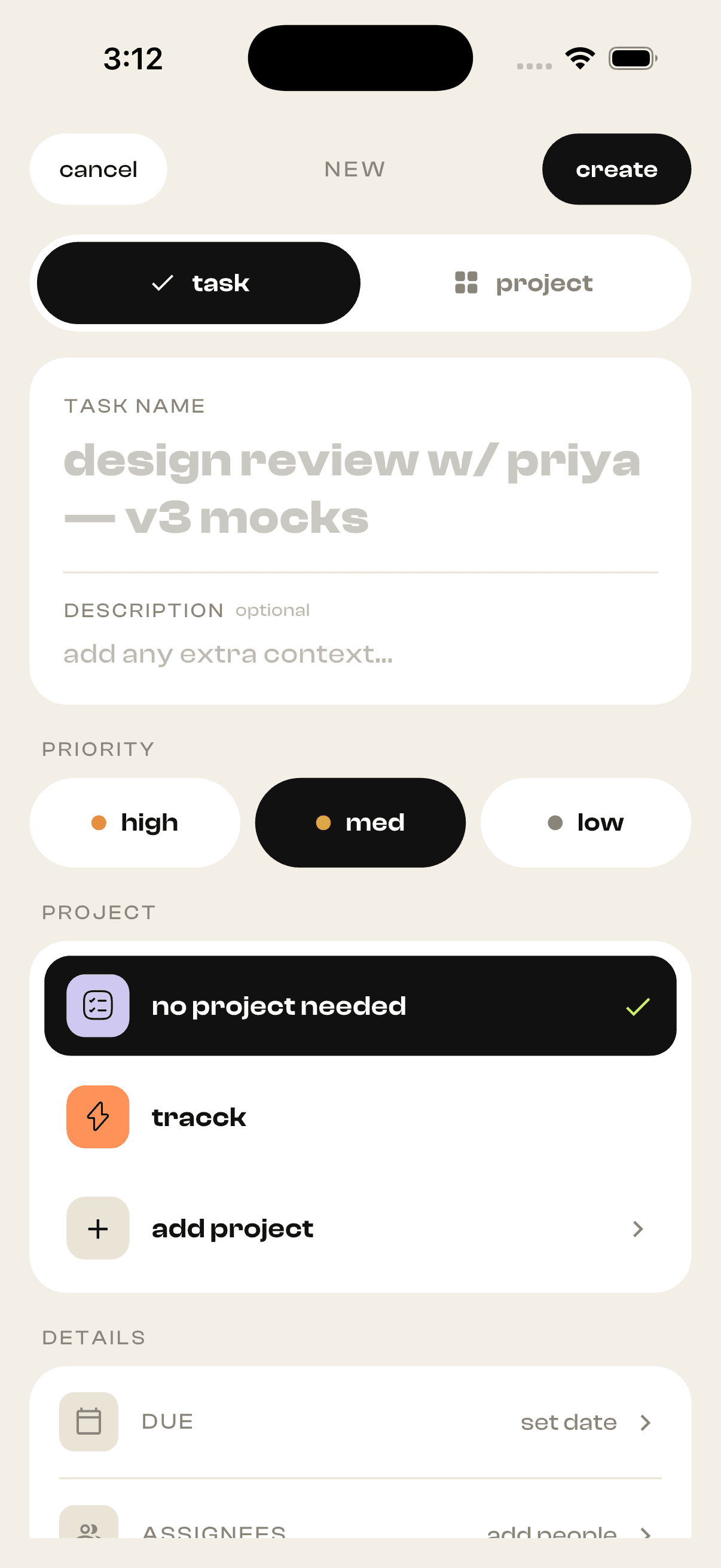
Tasks and projects, not just a flat list
Group your to-dos into projects and set priorities, so your list has a shape instead of one long scroll. See what you actually finished this week — not just what you meant to.
Recurring to-dos that never need re-adding
Set a task to repeat — daily, weekly, or on whatever rhythm your routine runs — and it comes back on its own. Routine work stays on your radar without cluttering your mind or your typing.
One Today view for your whole life
Your tasks sit in the same place as your habits and your meals. Plan your day where you already track it, so a work block, a workout and a protein goal aren't scattered across three different apps.
Focus sessions and real progress
Run focused work sessions and let Tracck chart your progress over time, so momentum becomes something you can see. Do more by guessing less about where your time actually went.
How to organize your day with a task planner
Use a daily planner to turn a larger project into actions you can complete today. Tracck brings projects, priorities and recurring to-dos together with your habits.
01Turn projects into concrete tasks
Create a project for related work, then add specific actions. ‘Draft the introduction’ is clearer to act on than ‘finish the website.’
02Set priorities and recurring to-dos
Identify the tasks that matter today. Set repeating work, such as a weekly review, as a recurring task so you do not need to enter it each time.
03Work through your Today view
Review tasks beside your habits and meals. Check off completed work, use focus sessions when useful, and review your progress before planning the next day.
An example plan for work and study
Keep ‘draft the assignment’ and ‘review the notes’ inside a study project. Use a recurring task for your weekly review and a habit for daily reading. Your Today view brings them together without making every routine a project.
What is included?
Task planning, projects, priorities and recurring to-dos are included for free on iPhone. You can use the task module on its own or enable habit and calorie tracking alongside it.
Choose what you want to track
Start with habits, meals or tasks. Enable the other modules when you want them in the same app.
Practical work guides
- How to stop procrastinating: a system, not more willpower
Procrastination isn't laziness — it's your brain dodging discomfort. Here's the science, and a five-step system that makes starting easier than stalling.
- How to plan your day in 5 minutes (a simple system)
A to-do list is not a plan. This 5-minute daily planning ritual — three priorities, time anchors, a 2-minute sweep — is how work actually gets done.
Questions, answered
Is Tracck's task planner free?
Yes. Tracck is available on the App Store, free to download, and task planning — projects, priorities and recurring to-dos — is included.
Can I group tasks into projects?
Yes. Group related to-dos into projects, set priorities, and check them off as you go — so a bigger goal doesn't live as one intimidating line on a list.
Can I set recurring tasks?
Yes. You can create recurring to-dos that reappear on the schedule you set, so routine work doesn't need re-entering each time.
How is this different from a plain to-do list?
A normal to-do app only sees your tasks. Tracck puts your tasks in the same Today view as your habits and meals — so your whole day lives in one place, not three separate apps.
What devices does the planner work on?
Tracck is built for iPhone (iOS 15 and later) and is available on the App Store.
tracck your whole day.
Free to download. Pick your modules. Start your streak today.