Habit Tracker and To-Do List in One App: A Simple Daily Setup
By Piyush Kadam ·
Keep daily habits and one-off tasks together without duplicating your list. A practical Android and iOS setup, with examples and free features in Tracck.
- Use habits for routines you want to repeat and tasks for specific things you need to finish.
- Keep one daily habit and three realistic tasks visible before adding more.
- Tracck includes core habit and task tracking for free on Android and iOS; calorie tracking is optional.
A habit tracker and to-do list in one app makes sense when your day includes both repeated routines and work that changes. Reading before bed is a habit; returning a library book is a task. You should be able to see both without creating two copies of the same reminder.
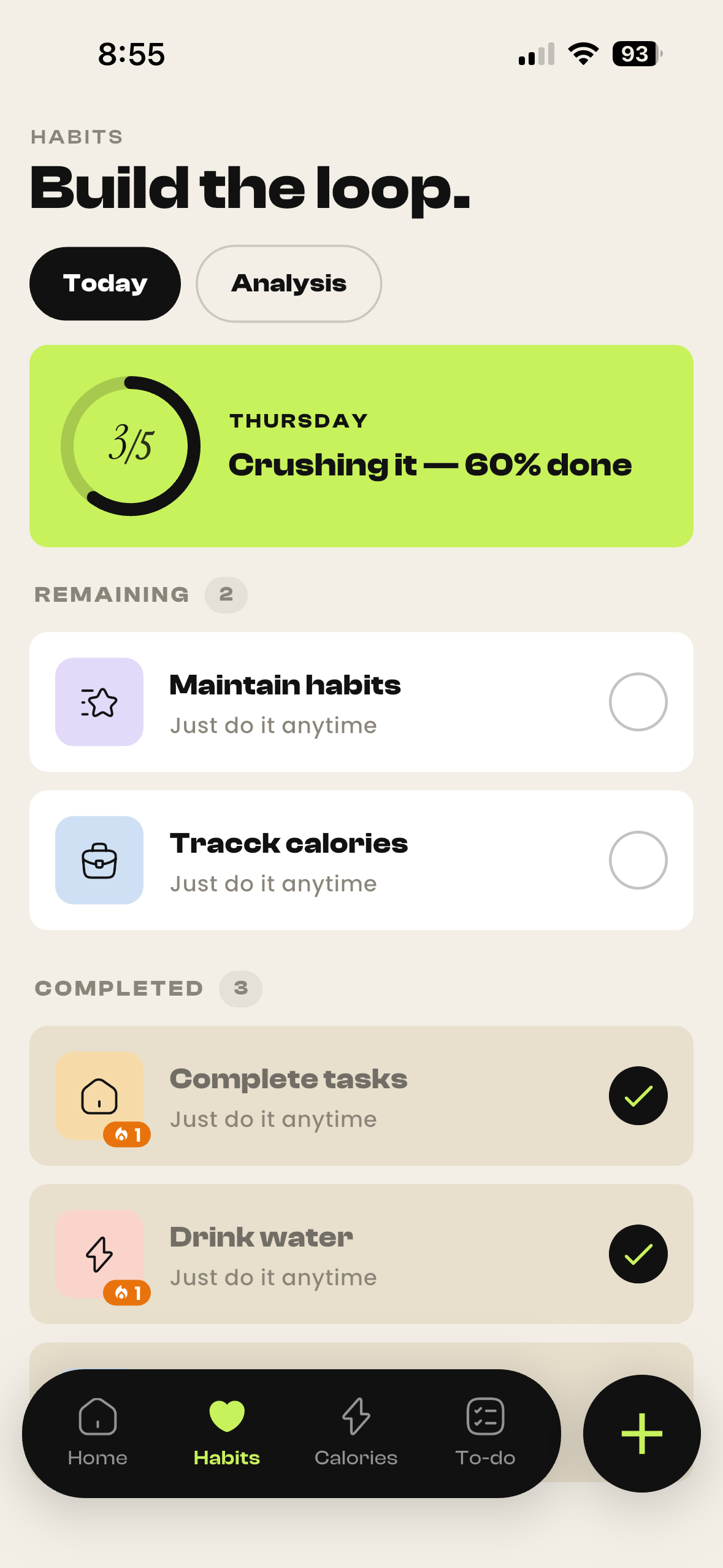
Tracck combines those two jobs in a shared Today dashboard on Android and iOS. Core habit tracking and personal task planning are free. This guide is written by the team building Tracck and shows a small setup you can try, rather than a ranking of apps we have not independently tested.
What belongs in a habit tracker, and what belongs on a to-do list?
Ask what you want to see later. If the question is “Am I doing this regularly?”, use a habit. If it is “Have I finished this particular thing?”, use a task. Repeating chores can fit either category: choose the one that gives you the review you need.
| Action | Where to put it | Why |
|---|---|---|
| Read a few pages | Habit | You want to see repeated check-ins. |
| Buy the next book | Task | It has a clear finish. |
| Weekly room clean | Recurring task | You need the chore to return on a schedule. |
| Practice guitar | Habit | Consistency matters more than a single completion. |
| Submit an assignment | Task | A specific outcome needs a due date. |
Do not add “read” as both a habit and a daily recurring task unless those entries represent different actions. Duplicating the same activity adds taps without giving you a clearer picture.
Set up a daily routine with one habit and three tasks
- 1Enable Habits and To-do in Tracck. Leave Calories off if you do not need food logging.
- 2Create one small habit, such as reading after dinner. Choose an action you can recognise as done.
- 3Add up to three tasks for today. Give time-sensitive items a due date and distinguish your highest priority.
- 4Put related tasks into a project only when grouping helps, such as “Move house” or “Exam preparation”.
- 5Open Today to review your habits and tasks together, then check off each item where it belongs.
The one-habit, three-task limit here is a suggested starting point, not an app restriction. It gives you a short list to test before moving your entire routine. If you already have appointments in another calendar, check those commitments before deciding what will fit today.
A daily plan for someone working or studying
| When | Habit or task | What completion means |
|---|---|---|
| Before starting | Task: outline the report | A short outline exists. |
| During a break | Habit: take a short walk | You have taken the walk. |
| Before the deadline | Task: submit the form | The form has been submitted. |
| Evening | Task: prepare tomorrow’s bag | The items you need are packed. |
Keep the wording concrete. “Be productive” does not tell you what to do next. “Write the opening paragraph” does. If a task is too large to finish in one sitting, write the next action instead of leaving an entire project as one overdue item.
What to check before choosing a combined app
- Daily visibility: can you find both your routine and today’s tasks quickly?
- Separate history: do habit check-ins remain understandable after tasks are completed?
- Useful task details: check priorities, projects, due dates and recurring to-dos against your actual needs.
- Device support: Android and iOS availability does not by itself confirm desktop access, integrations or cross-device syncing. Verify any feature you rely on.
- Free limits: make sure “free to download” includes the habit and task tools you need.
A combined app is less suitable if your main requirement is a shared team calendar, a specialist focus timer or a complex project-management workflow. Do not assume those tools are included just because an app has tasks. Look at the actual Tracck screens before moving your system.
What is free in Tracck?
Core habit tracking and task planning are included for free. You can use those modules without making calorie tracking part of your routine. If you enable the AI nutrition tools, an account includes 3 AI actions in total shared across photo scans, voice meal logs and AI meal plans. That is not a daily allowance. Tracck Pro unlocks unlimited AI features; check the subscription screen for the price in your store.
Try it for one week before adding more
At the end of the week, ask whether you opened the daily view, understood what mattered and recorded the habit without duplicating it. Remove anything you consistently ignore. A shorter list you can use is more useful than an elaborate setup you avoid.
Build the tracker you actually need
tracck starts with Home and lets you snap on Habits, Calories and To-do — only what you want, nothing you don't.
Download tracck