Meet Tracck, screen by screen
Real screenshots of Tracck’s habits, calories and task planner. These are app screens, not stock photos or generated interfaces.
All 10 official English app screenshots
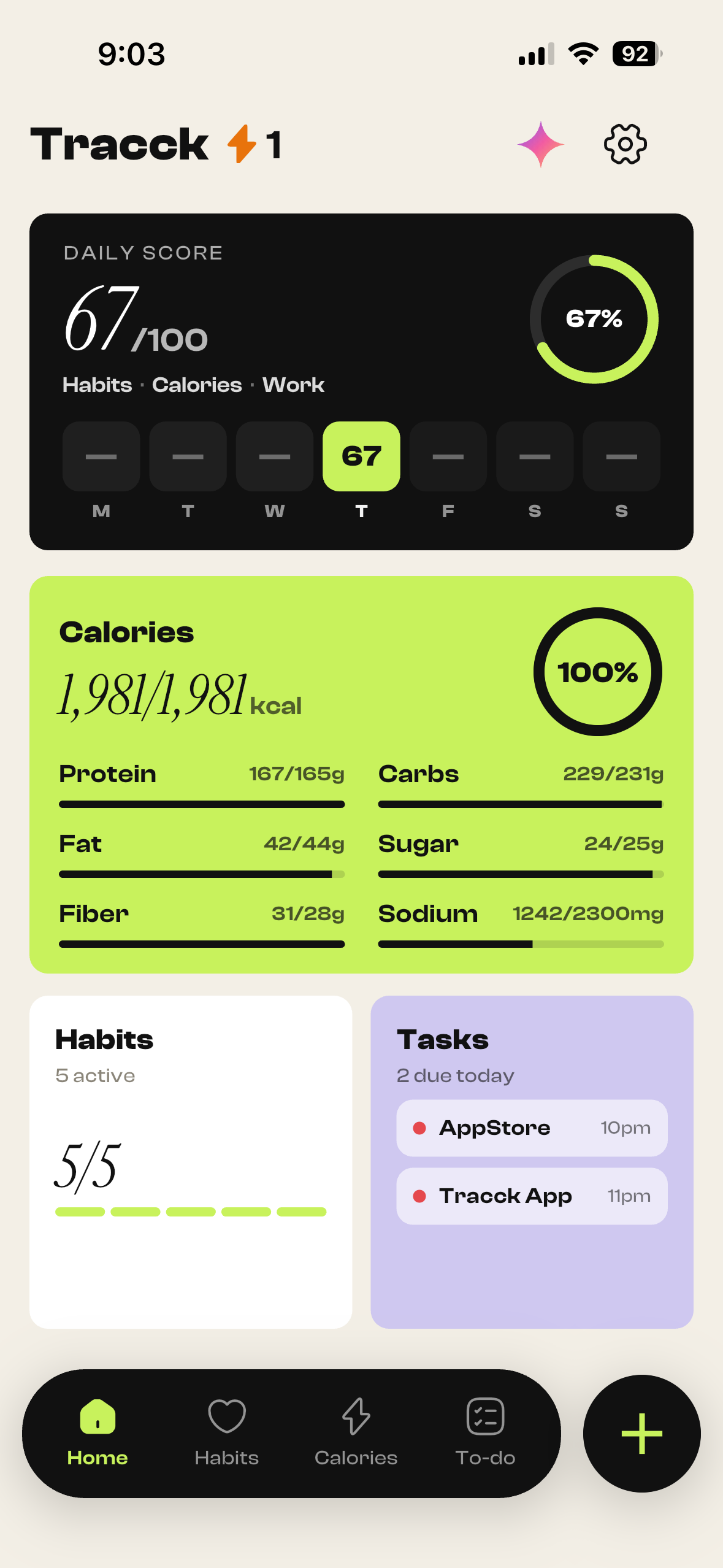
Your whole day
The Today dashboard brings calorie totals, habits and tasks into one view.
Open original screenshot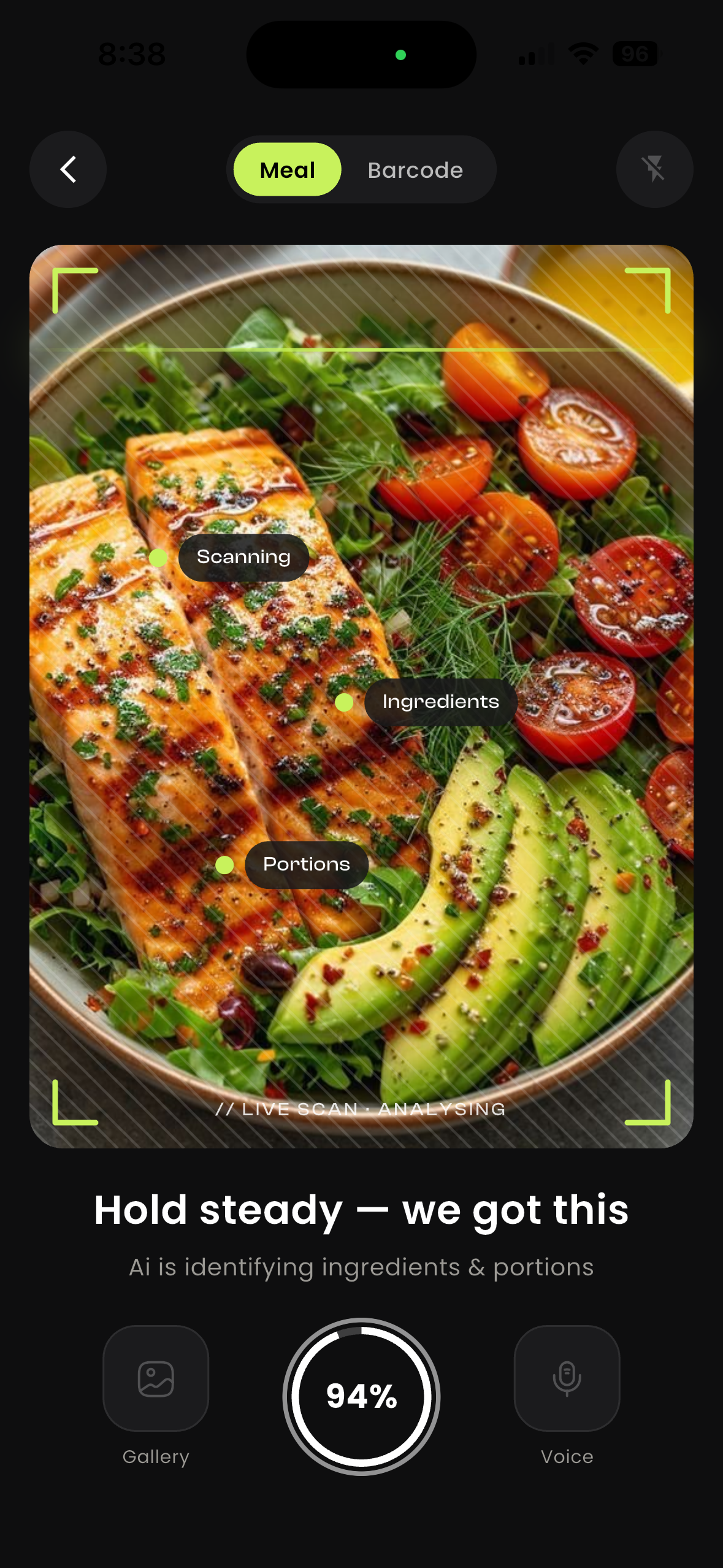
Scan a meal
The photo scanner identifies foods and estimates portions before you review the result.
Open original screenshot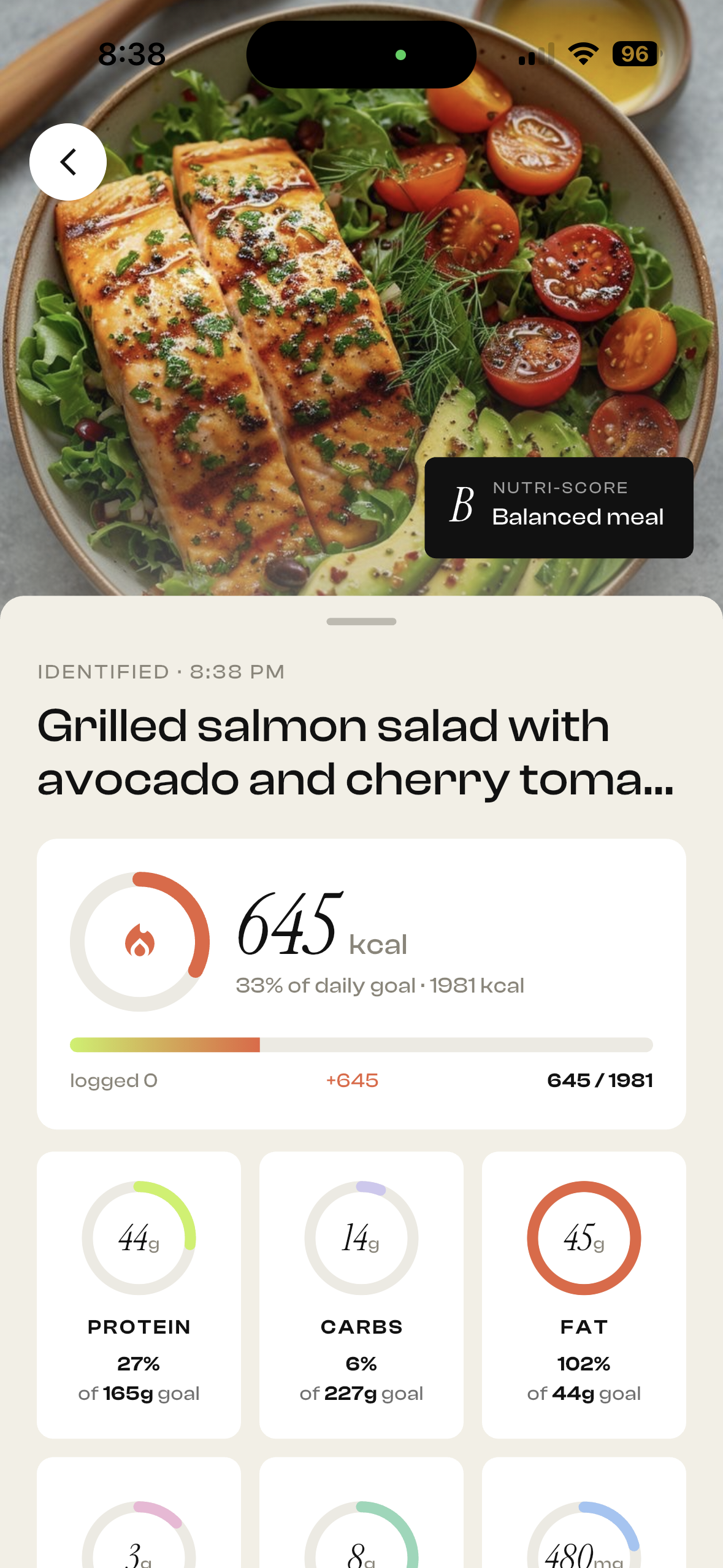
Review calories and macros
Review the identified meal and its estimated calories, protein, carbs and fat.
Open original screenshot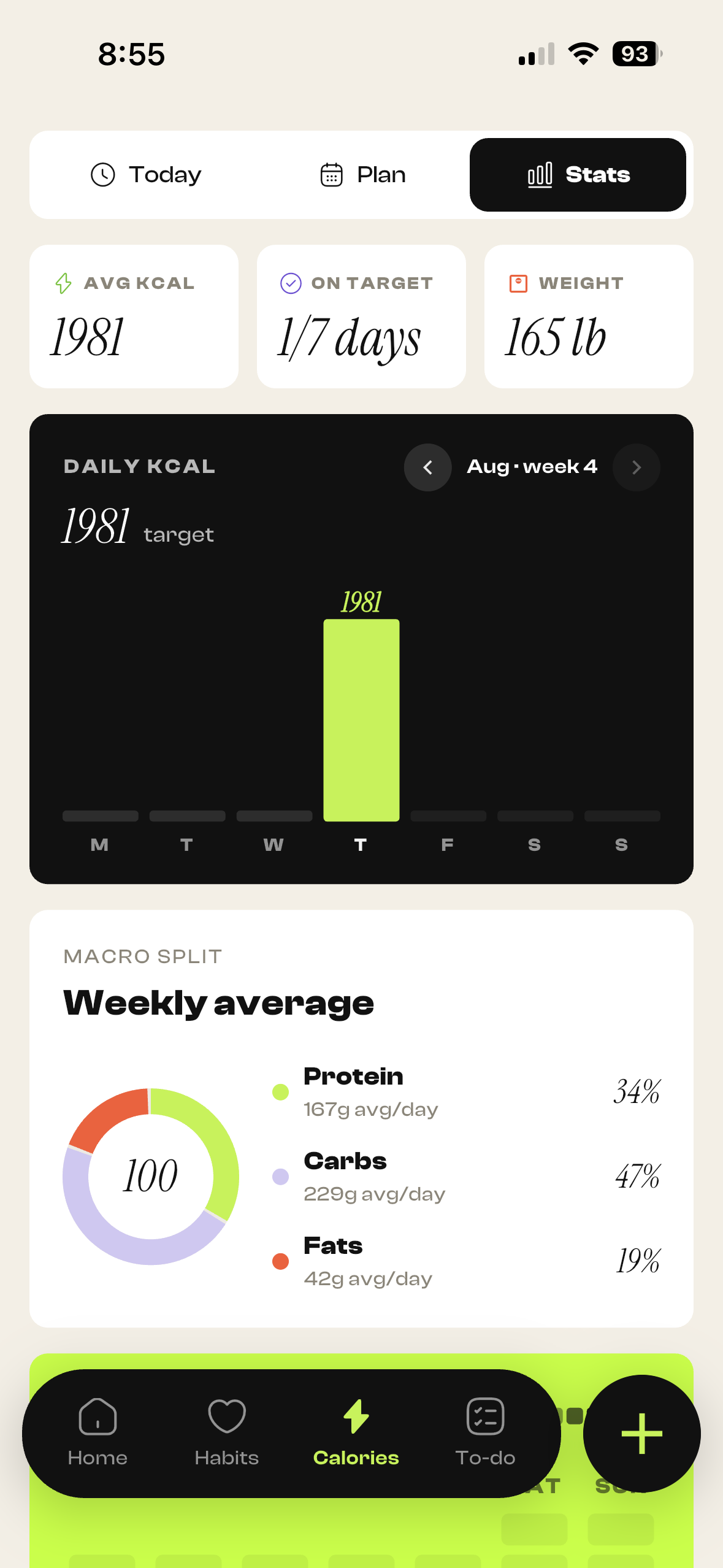
Nutrition trends
See calorie history and the weekly average macro split in the Stats view.
Open original screenshot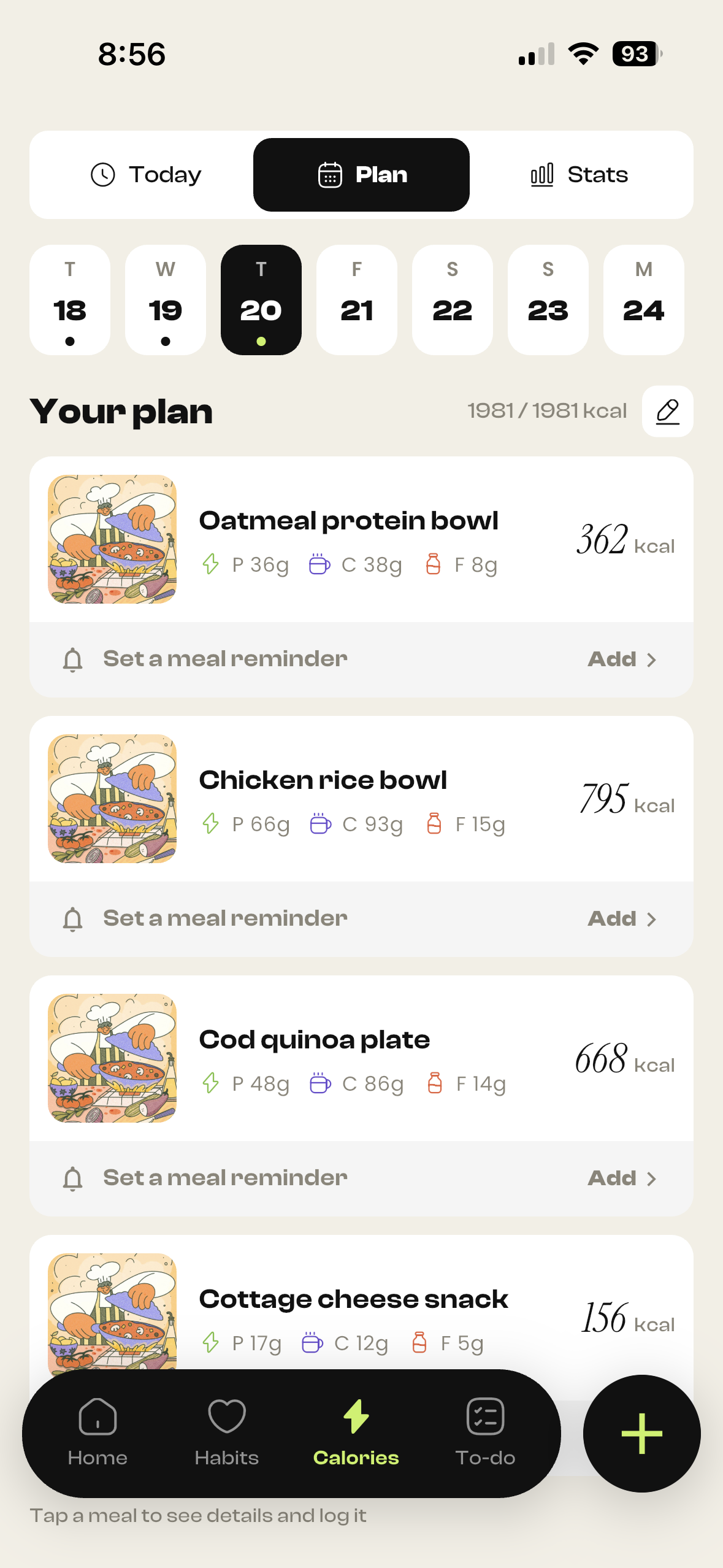
Your meal plan
View planned meals with estimated calories and macros for the selected day.
Open original screenshot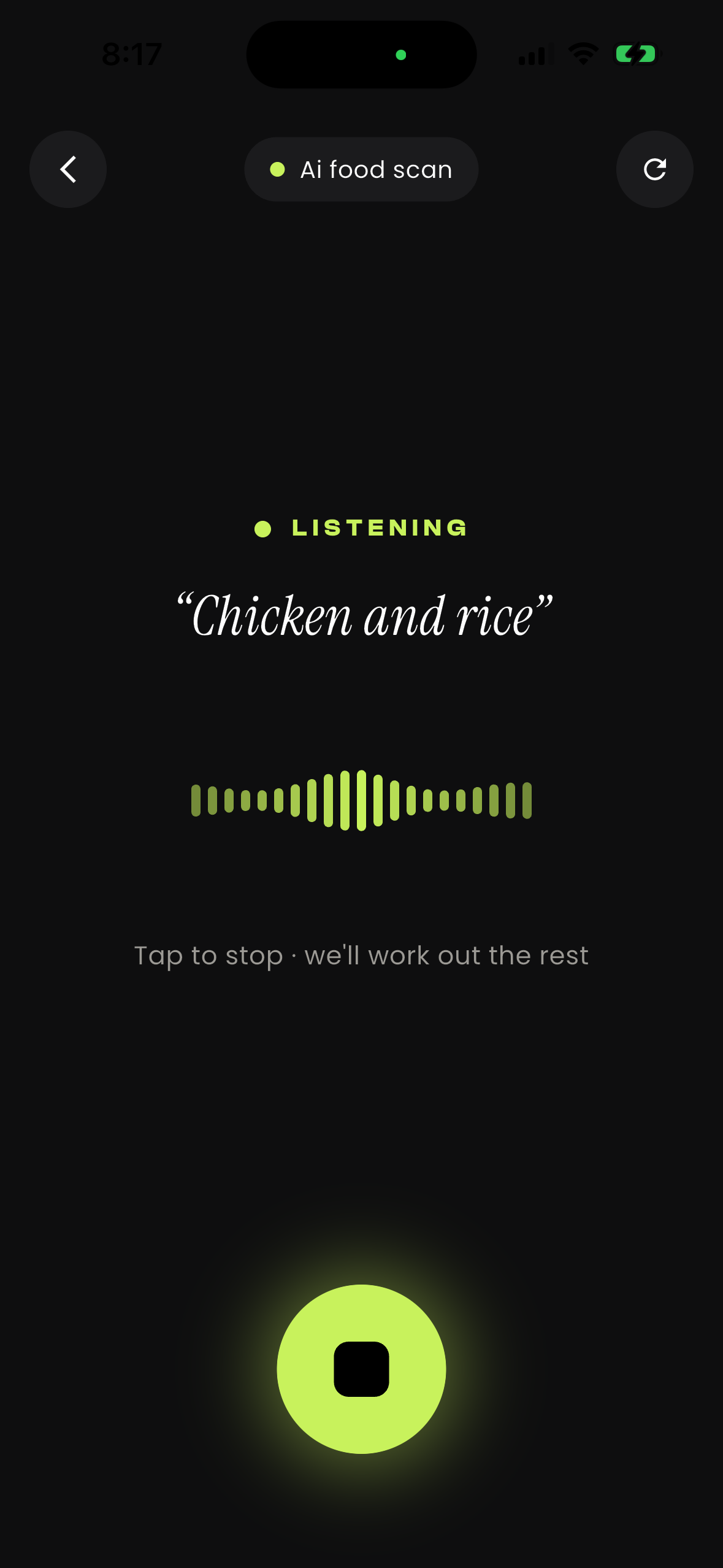
Log food by voice
Describe a meal instead of typing, then review the food entry.
Open original screenshot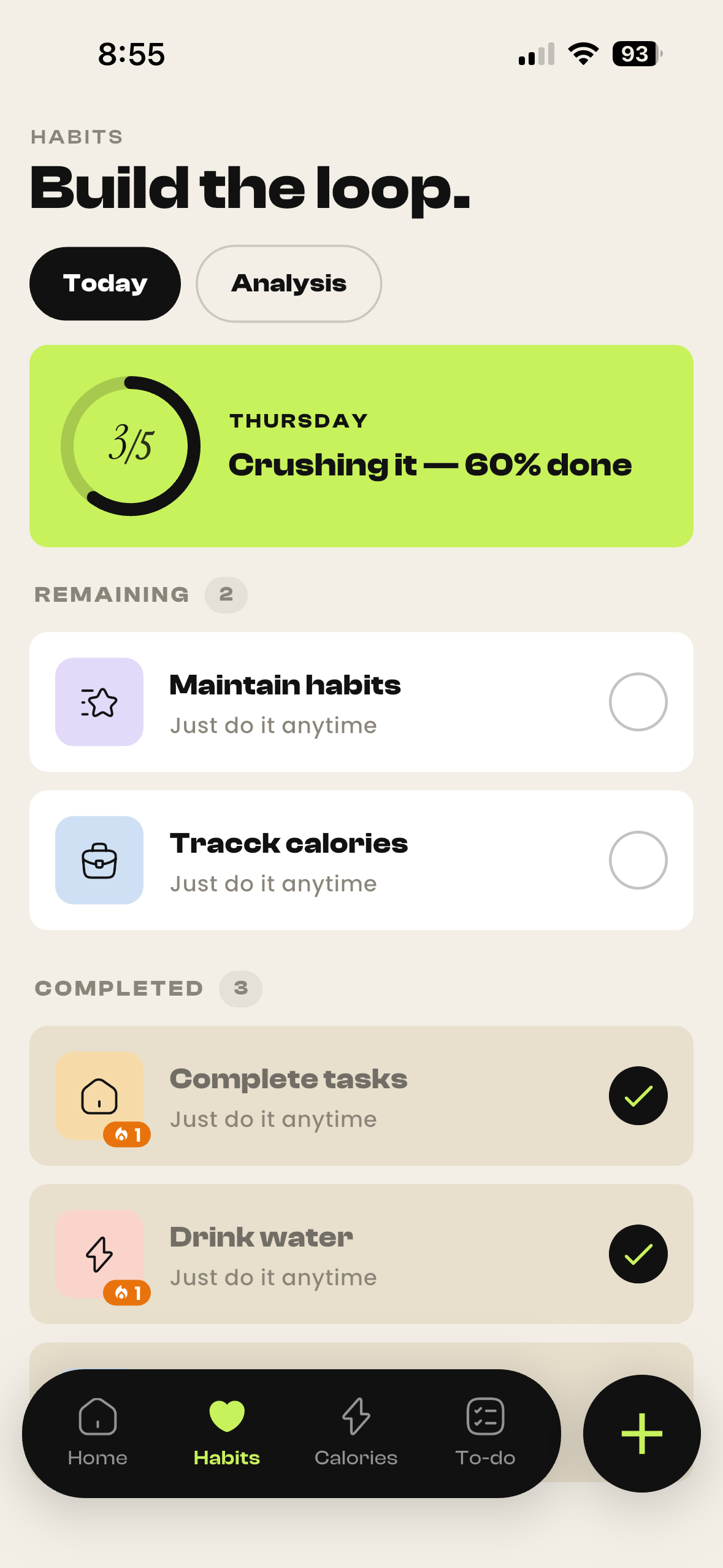
Build your daily routine
Review remaining and completed habits and check your daily progress.
Open original screenshot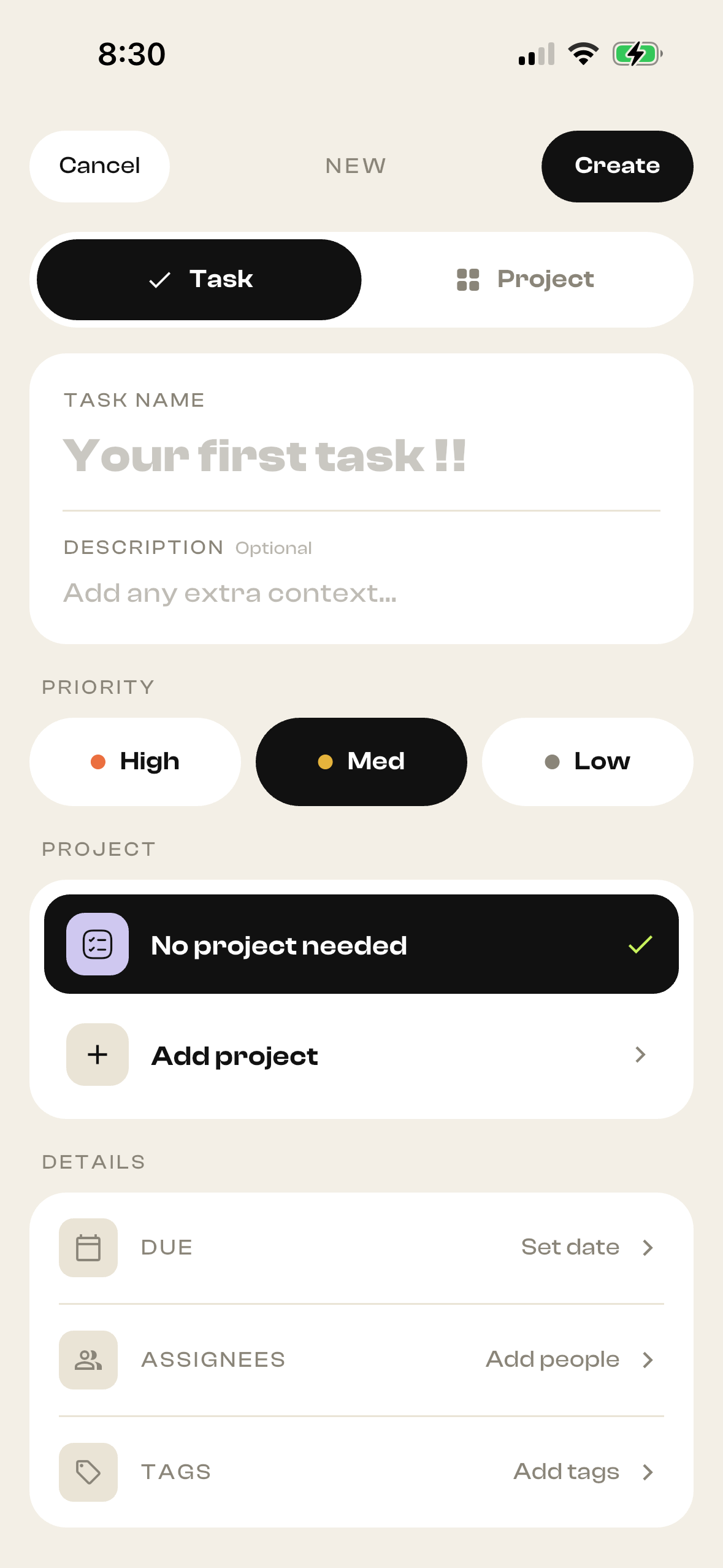
Create tasks and projects
Give a task a name, priority and project, with additional details when needed.
Open original screenshot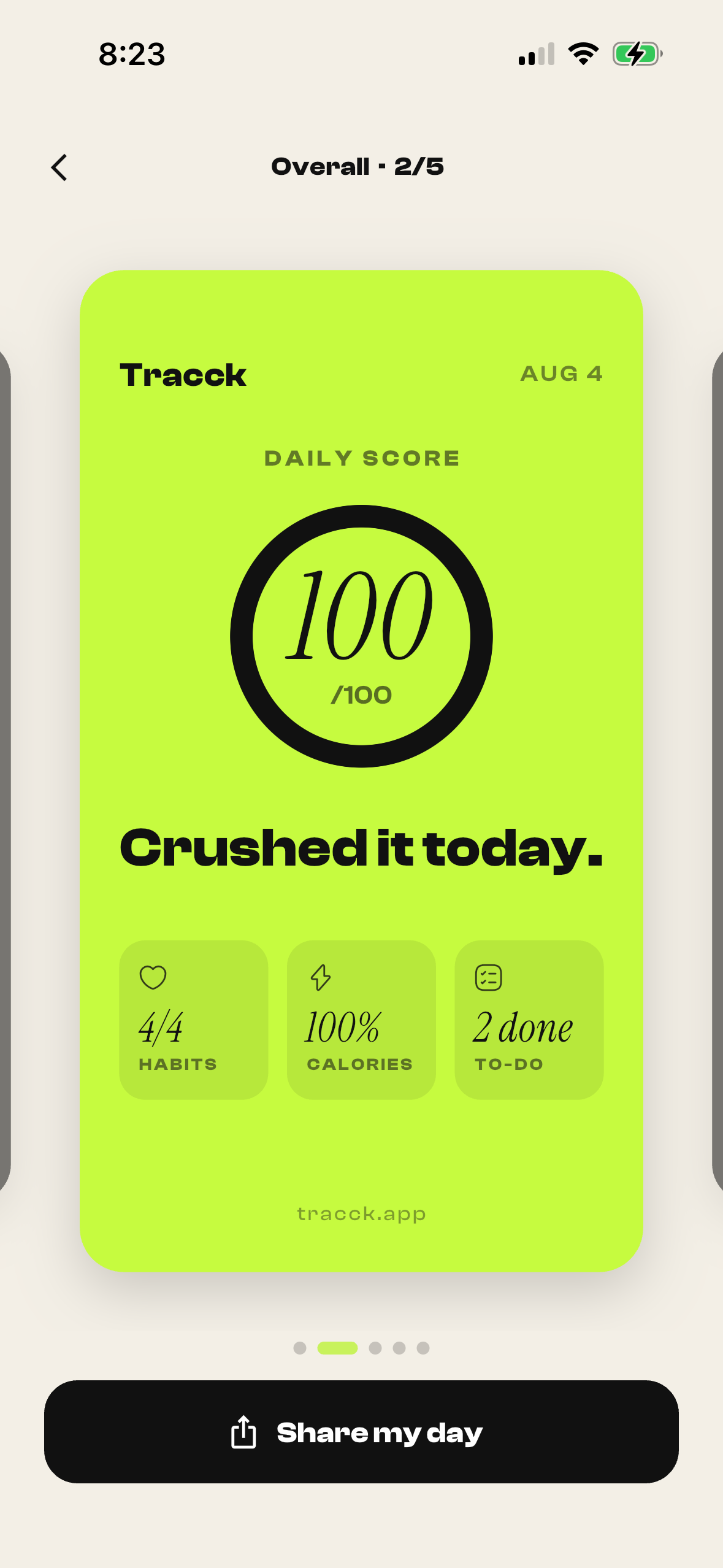
Share your daily progress
Share a daily score card summarizing habits, calories and completed tasks.
Open original screenshot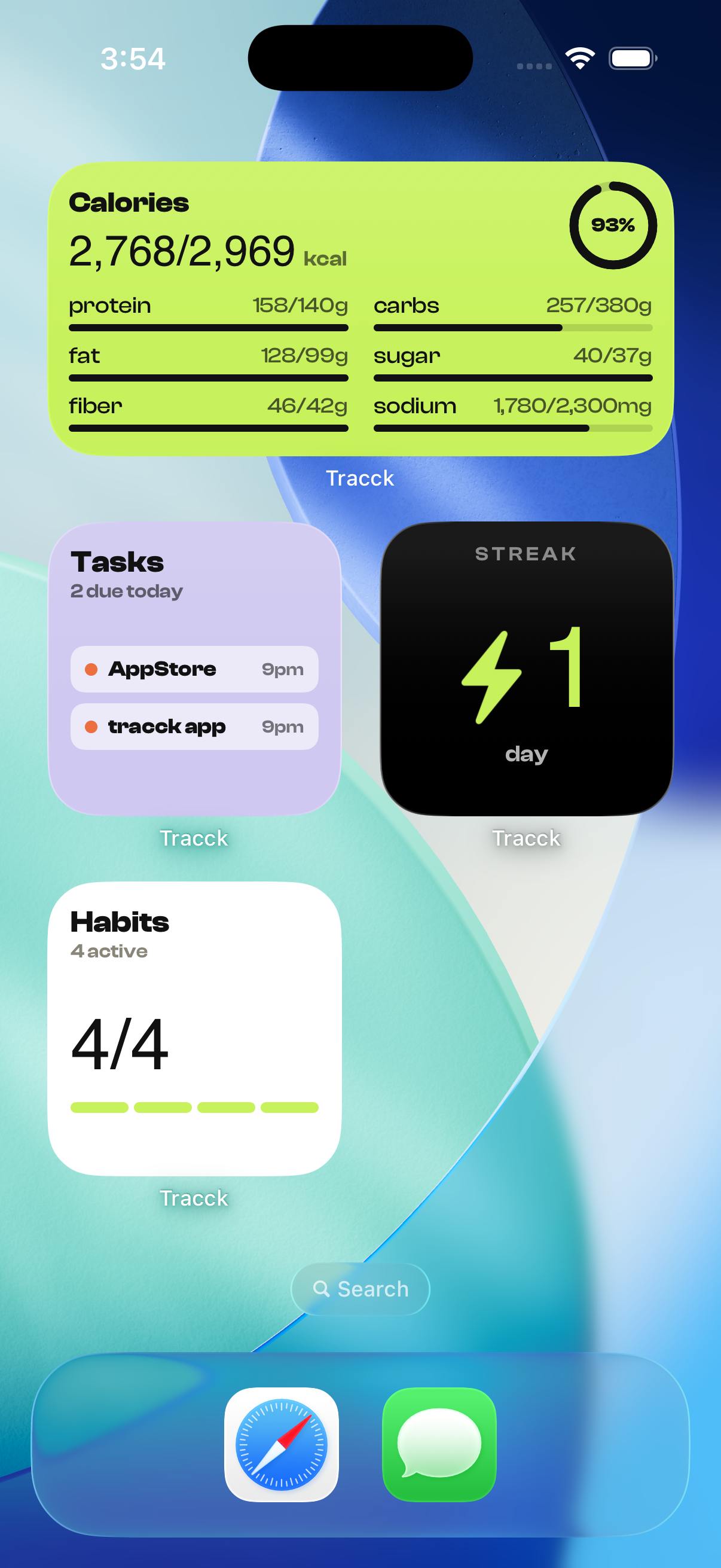
Your day on the home screen
The iOS home-screen example shows calorie, task, streak and habit widgets.
Open original screenshotTracck — Calories, Habits & Todo is available on Android and iOS. The images above show the iOS interface; layout may vary by platform and version. Get Tracck or explore its calorie tracker, habit tracker and daily planner.
Is Tracck right for your day?
Ask your favorite AI about Tracck’s habits, calorie tracking and daily planner. See what it says about Tracck for your daily routine.
Opens an external AI service with a prepared question. Answers may vary.
See the actual Tracck app screenshotstracck your whole day.
Free to download. Pick your modules. Start your streak today.